
Cleaning Splits and Bonus Data Using Python and Calculating Their Factors!
The most detailed implementation that's available on the Internet!

I am a CFA and FRM Charterholder. I used to work as a Portfolio Implementation Manager for Aviva Investors managing £3bn+in Assets Under Management in the UK. I am very passionate about educating people on how they can make more money with their existing investments sustainably.
Welcome Readers 🤩 to the sixth article in the series "NSE EOD Stock Prices." This article will discuss how to use the pandas library to clean the Bonus and Splits Data we downloaded from the Bombay Stock Exchange in the article here. In the last article, we also covered how to calculate the Dividend Factors, which is much more complex than what we will be doing in this one. This article will be very much on the same lines; you can access the previous one here.
For readers who were not able to download the files due to technical issues with the BSE website, you can download the sample Bonus and Splits file by clicking on their respective names. This will help you to follow me on this article.
This article is split into two parts:
Cleaning Bonus Data and Calculating Bonus Factor: We use basic
pandasstring manipulation to calculate thebonus_factorCleaning Splits Data and Calculating Split Factor: Similar to Bonuses, we use basic
pandasstring manipulation and regex operations to calculate thesplit_factor
Cleaning Bonus Data and Calculating Bonus Factor
The data which I am using contains all bonus information from Jan 2016 - March 2021. I will be posting screenshots of the Jupyter notebook so that it's easier to follow, but if you need just the code, please check out Github here.
- Loading the Data and Checking the first 5 rows. You will notice we have too many unnecessary columns; realistically, we only need Security Name, Ex-Date, and Purpose.
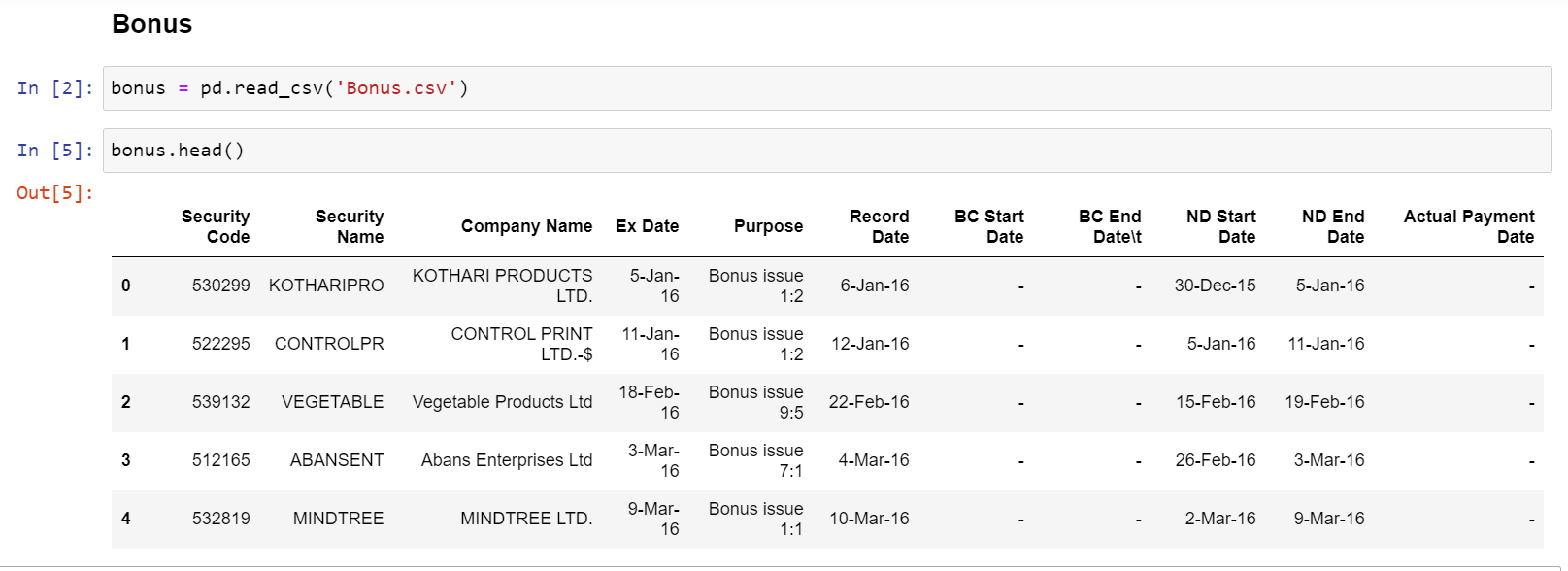
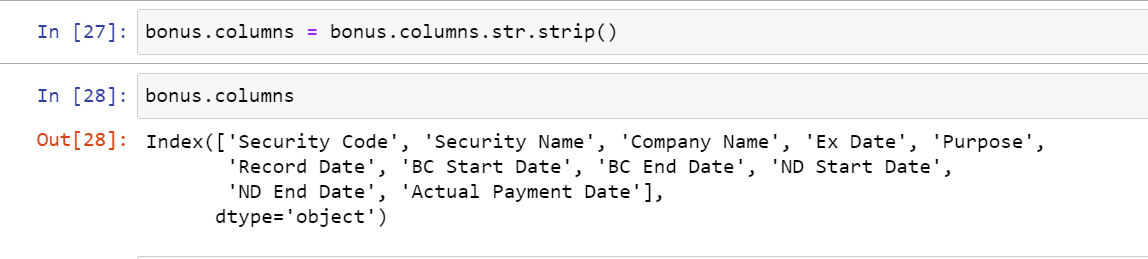
- Stripping all the column headers of any whitespaces, i.e., converting " Security Code" to "Security Code."
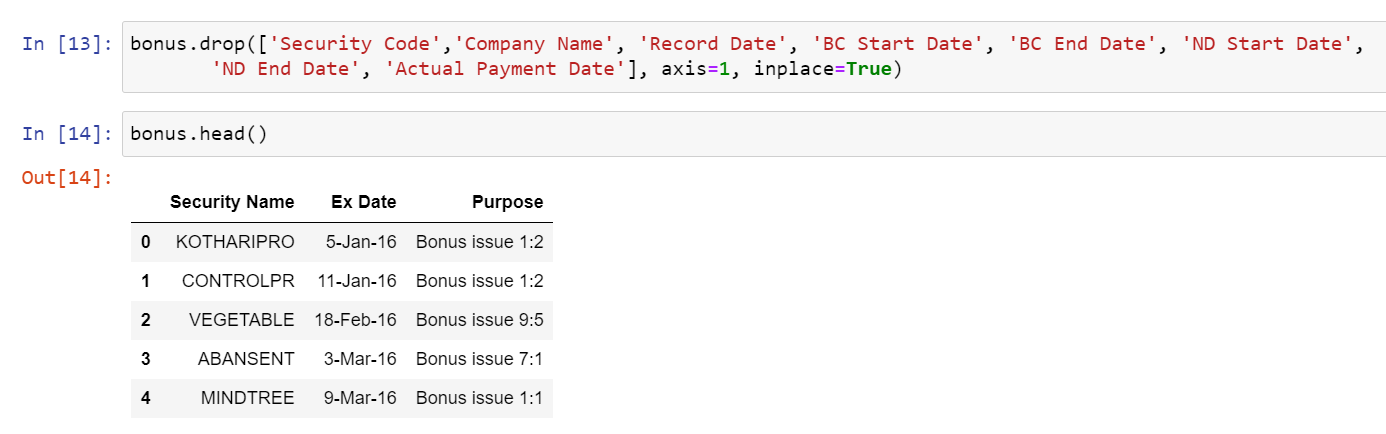
- Dropping all unnecessary columns and keeping the essentials
- Now Extracting the numeric bonus ratio from purpose column, since every row in the purpose column is a string, noticing a common theme, every ratio is after a space in the form of a:b, so we split the string on space i.e. (' ') and then take the last value of that string in the form of a ratio. We then assign this value to a new column
ratio
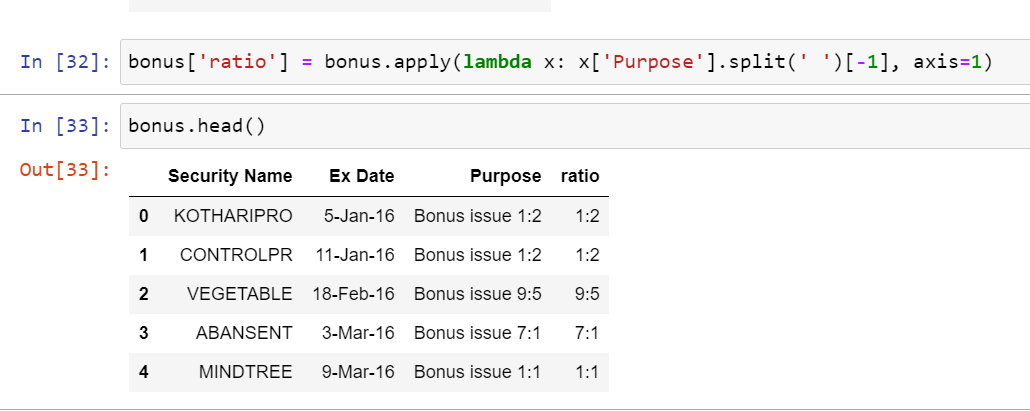
- Splitting the ratio into two different columns using a simple function where we split the string of
a:bon the semicolon and assign the first valueato columnnumand second valuebto columndenom, keep in mind, that we might have strings which do not have a semicolon due to incorrect data from the exchange, in that case, we need to put in atryandexceptcode block so that our program does not fail.
def split_ratio_cols(series):

    num_list = []
    denom_list = []

    for ratio in series:
        try:
            num_list.append(ratio.split(':')[0])
        except IndexError:
            num_list.append(None)
        try:
            denom_list.append(ratio.split(':')[1])
        except IndexError:
            denom_list.append(None)

    return num_list, denom_list
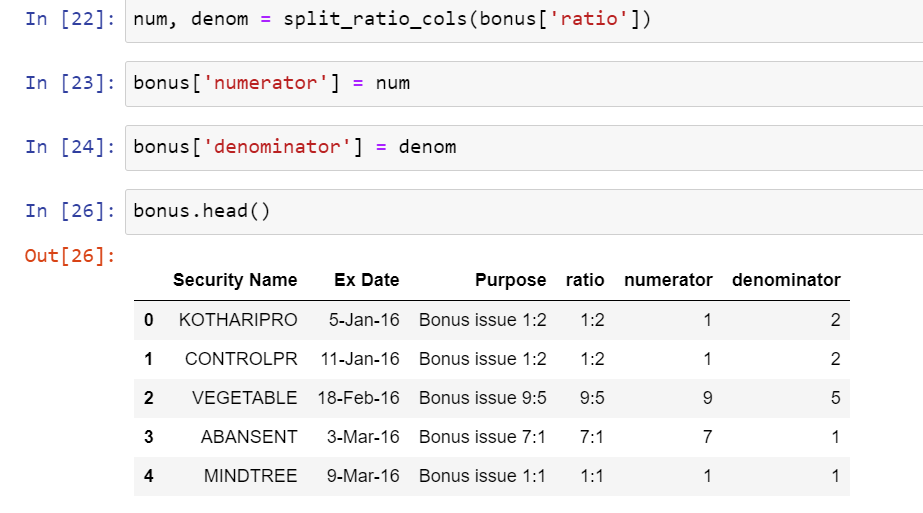
In the above, we gave the function a pandas series, i.e., ratio column, and it split that series into two unique series, i.e., num and denom. We just then assigned these new series to two new columns in the dataframe.
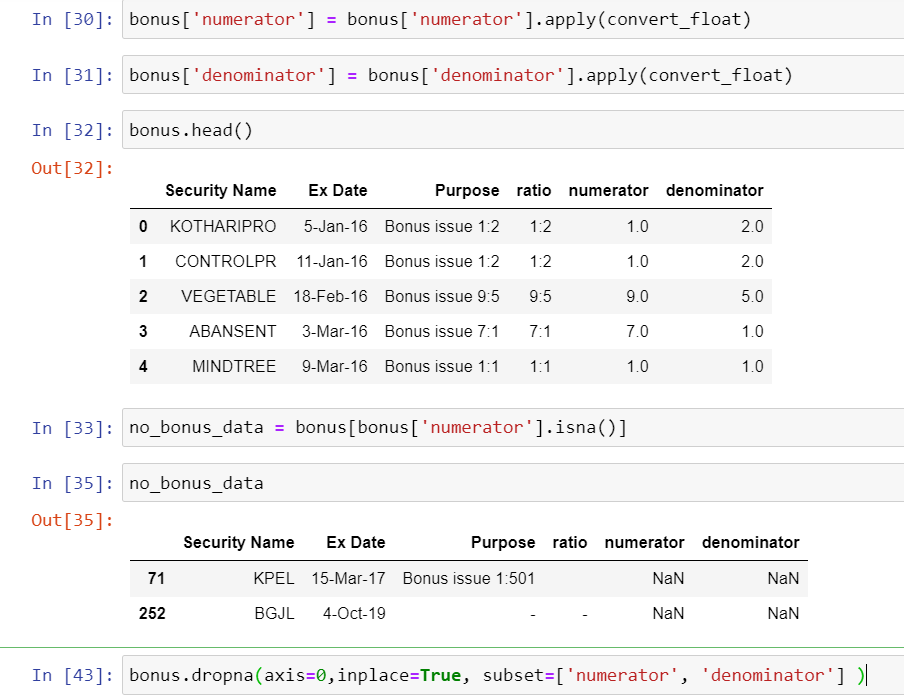
- Converting all numeric values to float values using the
convert_floatfunction we created in the dividend article. As a sanity check, we will also see how many NaN values we have and will drop them as we will have to adjust them manually.
def convert_float(x):
    try:
        return float(x)
    except ValueError:
        return None
    except TypeError:
        return None

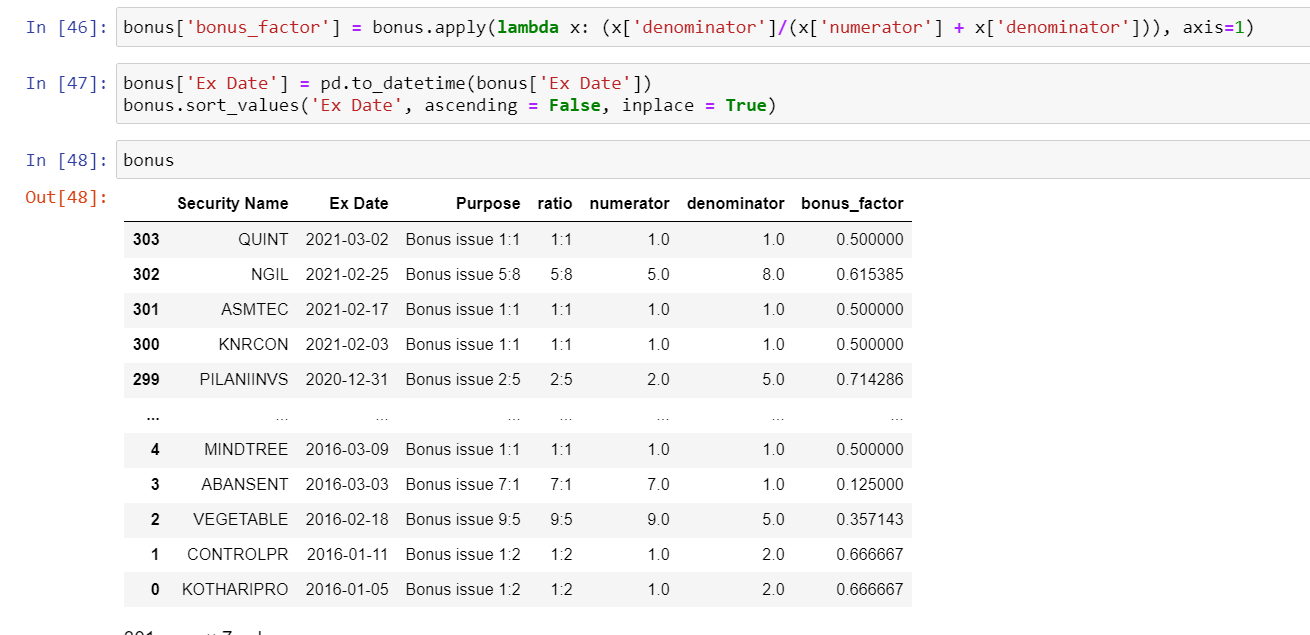
- Finally calculating the Bonus Factor by applying a
lambdafunction on the numerator and denominator columns. But before that, how does the calculation work?
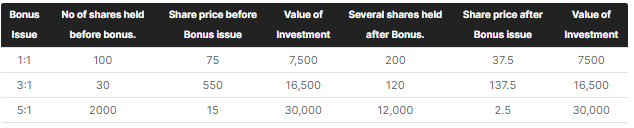
For example, a 1:1 bonus issue means that for every 1 share you hold, you get 1 more share, so this means the total outstanding shares in the market will now double, effectively making the price half. So the calculation is 1 / (1 + 1) which is 0.5
Similarly, a 5:8 bonus will mean for every 8 shares you hold; you will have 5 more shares, this will have a bonus_factor of 8 / (5+8) which is 0.615, all prices before Ex-Date needs to be multiplied by this factor to arrive at adjusted numbers.
If you are confused, take a minute and do the math manually. The below table from Zerodha might also help.
Cleaning Splits Data and Calculating Split Factor
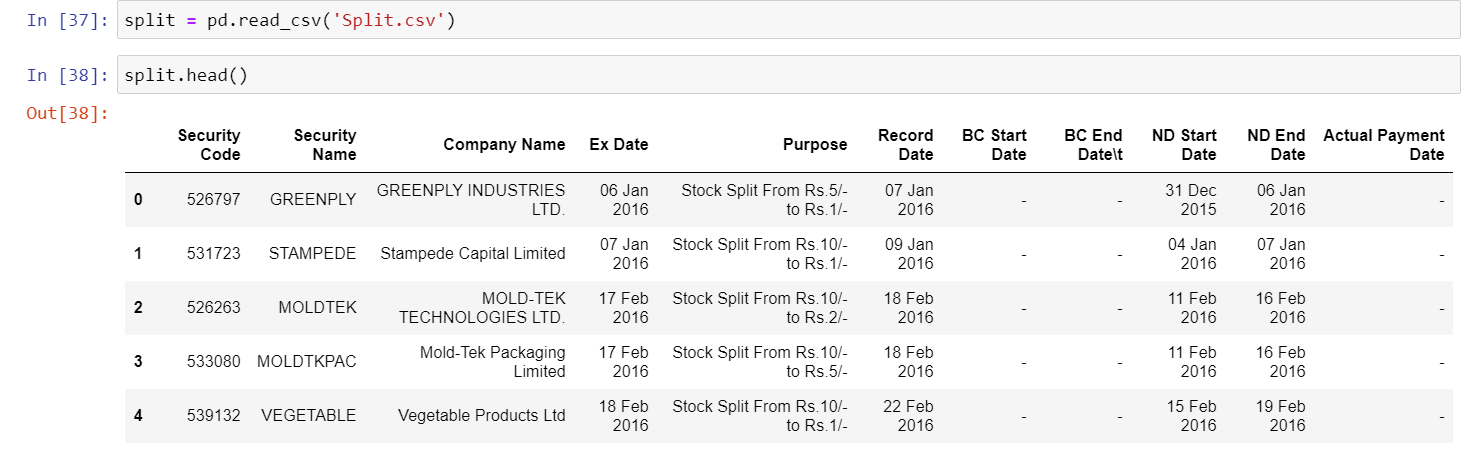
As above, the data I am using for Splits contains all information from Jan 2016 - March 2021. I am posting screenshots of the Jupyter notebook, but if you directly prefer seeing the code, you can access it here.
- Loading the Data and Checking the first 5 rows. You will notice we have too many unnecessary columns; realistically, we only need Security Name, Ex-Date, and Purpose.
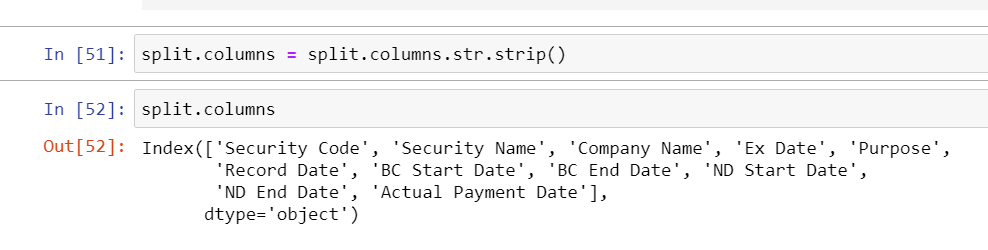
- Stripping all the column headers of any whitespaces, i.e., converting " Security Code" to "Security Code."
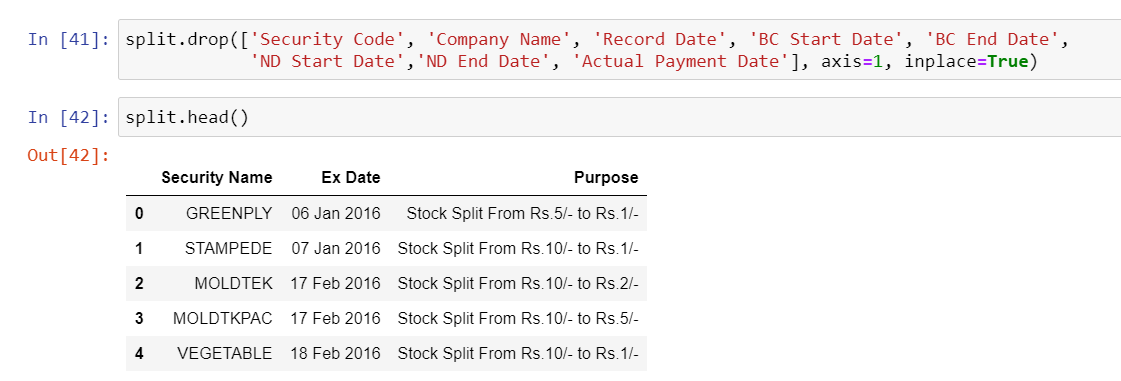
- Dropping all unnecessary columns and keeping the essentials
- Extracting Split Info from Purpose Column using regex operations and creating two new columns
numeratoranddenominatorto store that information. Finally, we will also convert these numbers to float using theconvert_floatfunction we created above.
import re

def split_columns(series):

    num = []
    denom = []

    for ratio in series:
        ratio_list = re.findall(r'[0-9]+', ratio)
        # regex r'[0-9]+' searches for all numbers
        # in a string and adds it into a list.

        if len(ratio_list) == 2:
            #if two numbers are found, append them to num
            # and denom list.
            num.append(ratio_list[0])
            denom.append(ratio_list[1])
        else:
            num.append(None)
            denom.append(None)

    return num, denom
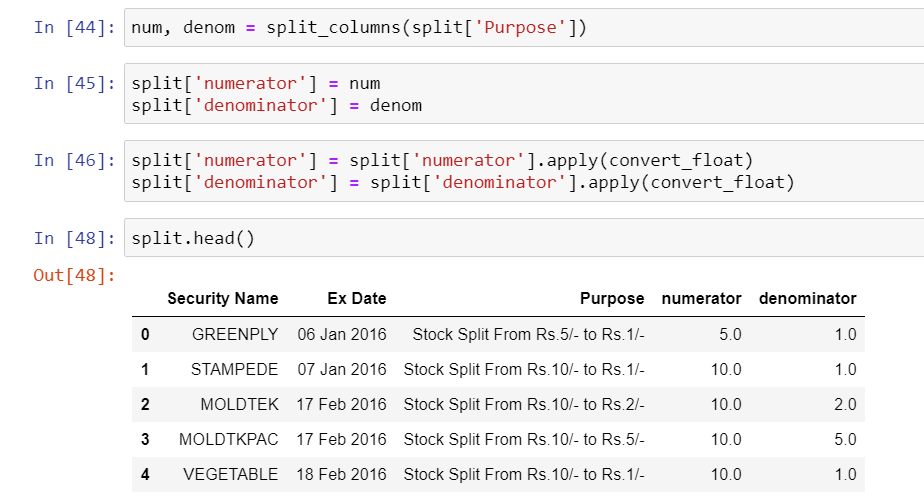
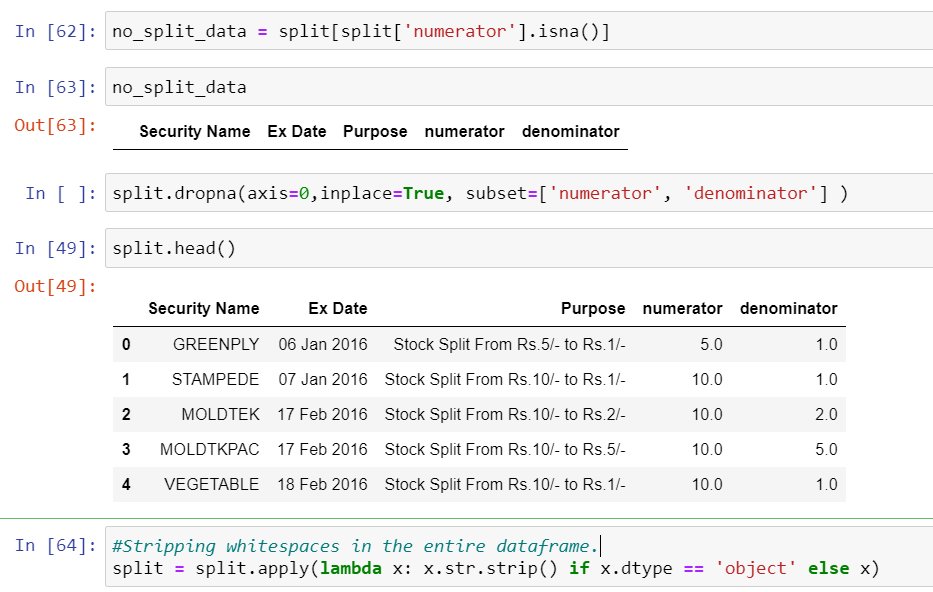
- Dropping all NaN values (if any) and stripping all values in the dataframe of any whitespace.
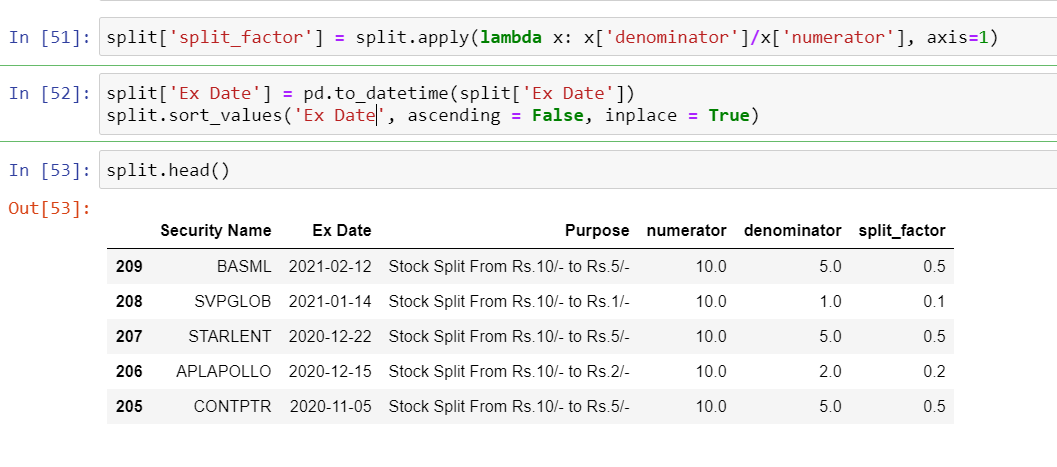
- Finally Calculating the Split Factor which is probably the easiest calculation out of all corporate actions. For example, for a stock split from Rs. 10/- to Rs. 5/- would mean a halving of stock price, which can be calculated by
5/10, and we will use a similarlambdafunction as we did for Bonus.
And that's it, folks, I can guarantee you, you will find no blog out there which can give you such a detailed implementation of each and every step of what needs to be done. I have realized over time that coding is not just writing code; in fact, it's 5 hours thinking about a problem and spending 5-50 mins to code it.
I hope I have done some justice in explaining the concept at hand; if not, please drop a line with feedback; I would highly appreciate it. If you are stuck at any stage, reach out to me on Linkedin or Twitter.
I will soon begin building my Youtube channel, which will have all the content present on this blog in the form of videos. To support me, you can buy me a coffee by clicking here or on the button below.